
Loading...
Vahagn Karamyan • 23 Jun 2026
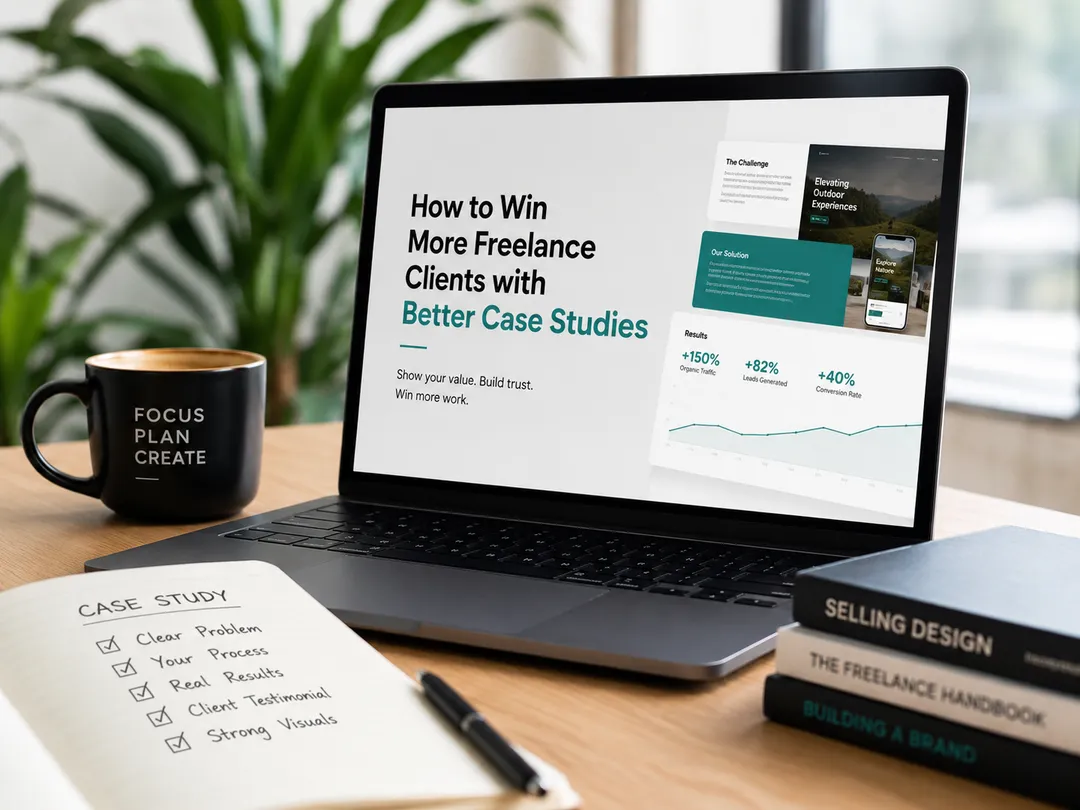
You've done the work. You've delivered results. But when a potential client lands on your portfolio, they scroll past your project gallery in about six seconds and bounce. Sound familiar? Here's the uncomfortable truth: most freelancers showcase their work the same way a museum displays artifacts pretty to look at, completely silent on what actually mattered. A logo mockup. A screenshot of a dashboard. A before-and-after with no context. Your best clients don't hire you because your work looks nice. They hire you because they believe you can solve their specific problem. And the fastest way to build that belief is through well-crafted freelance case studies that tell a complete story. In this guide, you'll learn exactly how to structure, write, and present case studies that turn curious visitors into signed contracts. No fluff. Just the frameworks and examples that actually move the needle. Why Most Freelance Case Studies Fail (And What to Do Instead) Before we build something better, let's diagnose what's broken. The typical freelance portfolio project page commits one of three sins: The Gallery Trap Just images or links with no narrative. The viewer has no idea what problem you solved or why it mattered. The Resume Disguise — A dry list of tools and deliverables ("Built with React, Node.js, PostgreSQL"). This tells me what you used, not what you achieved. The Humble Brag — Vague claims like "increased engagement" with no specifics, timeline, or human context. The common thread? None of these answer the one question every prospect is silently asking: "Can this person handle the kind of challenge I'm facing right now?" Great freelance case studies answer that question before the prospect even has to ask it. They do this by following a simple storytelling structure that mirrors how humans actually make decisions. The Storytelling Framework That Converts Prospects Into Clients Forget the rigid "Challenge → Solution → Result" template you've seen a thousand times. That structure works, but it's table stakes. What separates case studies that win work from those that just fill space is narrative tension and specificity. Here's a framework I call CART Context, Action, Result, Transformation. 1. Context (Set the Scene) Don't just describe the client's industry. Describe their situation — the pressure they were under, the constraint they faced, the moment they realized they needed help. Weak: "The client was an e-commerce brand looking to improve conversions." Strong: "A DTC skincare brand was spending $40K/month on ads but converting at just 1.2%. Their checkout flow had a 68% drop-off rate, and the founder was two weeks away from pausing paid acquisition entirely." See the difference? The second version creates empathy and stakes. A prospect reading that thinks, "That sounds exactly like my situation." 2. Action (Show Your Thinking, Not Just Your Output) This is where most case studies fall flat. They jump straight to the final deliverable. But clients don't just want to see what you made — they want to understand how you think . Walk through your process: What did you discover during research or audits?What alternatives did you consider, and why did you reject them?What was the non-obvious insight that shaped your approach? Example for a UX designer: "During user interviews, I noticed something unexpected: 7 out of 10 users weren't confused by the checkout flow itself. They were hesitant because they couldn't find return policy information until after adding items to cart. The real problem wasn't navigation — it was trust. So instead of redesigning the flow, I restructured the product page to surface guarantees, shipping details, and social proof above the fold." That paragraph does more work than ten screenshots of a Figma file. It shows diagnostic thinking, which is exactly what high-value clients are buying. 3. Result (Use Specific, Credible Numbers) Vague results kill credibility. "Improved performance" means nothing. "Reduced page load time from 4.2s to 1.1s, increasing organic traffic by 34% over three months" — that's a result I can believe. A few guidelines: Always include a timeframe. Results measured over 90 days are more credible than results measured over 3 days. Use absolute numbers alongside percentages. "Grew MRR from $8K to $22K" hits harder than "increased MRR by 175%." If you can't share exact numbers, use ranges or directional metrics. "Reduced support tickets by roughly a third" is honest and still compelling. Include qualitative outcomes too. Client testimonials, team feedback, or user quotes add texture that numbers alone can't. 4. Transformation (Show the Before-and-After of Their Business) This is the step most people skip, and it's the one that closes deals. After the results, zoom out. What changed for the client beyond the metric? Did they hire more staff because demand increased? Did they get acquired? Did they finally stop working weekends? Example: "Within six months of launching the redesigned onboarding flow, the client's trial-to-paid conversion doubled. But the bigger shift was operational: for the first time, their customer success team had bandwidth to focus on retention instead of firefighting signup issues. The founder told me she took her first real vacation in two years." That's a transformation. And it's the kind of story that makes a prospect think, "I want that outcome. I should hire this person." Three Case Study Formats for Different Types of Freelance Work Not every project fits neatly into the CART framework. Here are three adapted formats depending on the nature of your work. Format 1: The Deep Dive (Best for Designers and Developers) One project, told in full detail. 800–1,200 words. Include: The initial brief or RFPYour research and discovery processKey decisions and trade-offsThe final outcome with metricsWhat you'd do differently next time (this builds enormous trust) Format 2: The Pattern Play (Best for Marketers and Consultants) Group 2–3 smaller projects around a common theme or methodology. For example: "How I helped three SaaS companies reduce churn with onboarding email sequences""The content strategy framework I used to grow organic traffic for B2B clients" This format works beautifully when individual projects are too small for a full case study, or when your value lies in a repeatable process rather than a single hero project. Format 3: The Micro Case (Best for Quick Social Proof) A 150–250 word snapshot structured as: Client: [Industry/role, anonymized if needed] Problem: One sentence What I did: Two to three sentences Result: One sentence with a number Use these as supporting evidence within longer case studies, or as standalone pieces on your portfolio page. They're fast to produce and fast to consume. Five Practical Tips to Make Your Case Studies Work Harder 1. Lead with the result in your headline Instead of "E-Commerce Redesign for BrandX," try "How a Checkout Redesign Increased Conversions by 47% for a DTC Skincare Brand." The second headline tells the prospect what's in it for them before they even click. 2. Write for the client you want, not the client you had If you're trying to attract enterprise SaaS clients, frame your case studies around enterprise-relevant outcomes: security, scalability, cross-team alignment, compliance. Your work might be the same, but the story you tell around it should match the audience you're chasing. 3. Include your mistakes and pivots This sounds counterintuitive, but hear me out. A case study where everything went perfectly feels fabricated. Mentioning a wrong turn you took — and how you corrected course — makes the story credible and shows you're a problem-solver, not just an order-taker. 4. Add a "Would This Be You?" section At the end of each case study, add two or three sentences that help the reader self-identify: "If you're a B2B SaaS founder struggling with trial conversion, or a product lead looking to redesign your onboarding flow, this is exactly the kind of work I do. Let's talk." It's a soft CTA that connects the story directly to the reader's situation. 5. Make your case studies easy to skim Most prospects won't read every word. Use: Bold subheadings that tell the story on their ownPull quotes for key insights or resultsBullet points for process stepsA TL;DR summary at the top for busy decision-makers If someone can understand the value of working with you in 30 seconds of scanning, your case study is doing its job. The Case Study Mistake That's Costing You High-Value Clients Here's the one thing I see talented freelancers get wrong over and over: They wait for the "perfect" project to write a case study. The enterprise rebrand. The viral campaign. The app that hit a million downloads. Meanwhile, months go by and their portfolio stays thin. Here's the reality: you don't need a marquee client to write a compelling case study. You need a clear problem, a thoughtful approach, and a measurable outcome. Some of the most persuasive case studies I've seen came from small projects a landing page rewrite that doubled signups, a single email sequence that recovered $15K in abandoned carts, a design system that saved a team 10 hours per week. Start where you are. Write up what you've done. You can always refine later, but you can't refine a blank page. Your Next Steps If you've made it this far, here's what I'd suggest: Pick one recent project — doesn't have to be your best, just one where you can articulate the problem and the outcome. Run it through the CART framework — Context, Action, Result, Transformation. Write a first draft in 60 minutes — set a timer, don't overthink it. Get feedback — send it to a peer or mentor and ask: "Would this make you want to hire me?" Publish it — on your portfolio site, LinkedIn, or wherever your ideal clients spend time. If you want a faster way to structure and present your case studies, Yourhero was built for exactly this. It helps you turn raw project details into polished, storytelling-driven case studies that showcase not just what you made, but why it mattered without spending hours on formatting and layout. Your work deserves to be presented as well as it was performed. The only thing standing between you and your next great client might be the story you haven't told yet. Go tell it.

Vahagn Karamyan • 23 Jun 2026
You spent three months on that project. You ran the research, sketched the wireframes, argued about button placements, tested prototypes until your eyes blurred. And when it was done? You posted a few screenshots on your portfolio, wrote "redesigned the checkout flow" underneath, and waited. Nothing happened. Here's the uncomfortable truth: most UX case studies don't get read. They get skimmed, half-scrolled, and closed within 30 seconds. Not because the work wasn't good — but because the story wasn't there. A great UX case study isn't a gallery of deliverables. It's a narrative. It's the difference between handing someone a box of ingredients and cooking them a meal they can taste. Hiring managers and clients don't just want to see what you made. They want to understand how you think. If you're a designer, developer, or freelancer trying to land your next role or client, this guide will walk you through exactly how to structure a UX case study that actually works — with frameworks and examples you can use today. Why Most UX Case Studies Fail (And What to Do Instead) Before we get into the structure, let's talk about what's going wrong. Most portfolio case studies fall into one of three traps: The deliverable dump. Screenshots of every wireframe, persona, and user flow — with no connective tissue. It looks thorough, but it reads like a textbook nobody assigned. The highlight reel. Only the polished final screens, no messy middle. This tells a recruiter nothing about your process or how you handle ambiguity. The process worship. Every double-diamond stage labeled and color-coded, but no real insight into the decisions you made or the problems you solved. It's process for process's sake. The fix is simple but not easy: tell the story of a problem, not the story of a process. Start with the tension. What was broken? What was at stake? Who was struggling? Then walk the reader through how you navigated from confusion to clarity — including the wrong turns. That's what makes a UX case study memorable. Not perfection. Progress. The 5-Part Framework: How to Structure a UX Case Study That Works After reviewing hundreds of portfolios and studying what actually gets designers hired, here's the structure that consistently performs. 1. The Hook: Set the Stage in 2-3 Sentences Your opening should answer three questions instantly: What was the project?Why did it matter?What was your role? Bad example: "I worked on a mobile banking app redesign." Good example: "Our mobile banking app had a 67% drop-off rate during account setup. Users were abandoning it faster than any other flow — and the business was losing an estimated $2M in potential deposits per quarter. I led the redesign of the onboarding experience." See the difference? The second version creates stakes. The reader immediately wants to know: how did you fix it? 2. The Problem: Show You Understand the Real Issue Don't jump straight to solutions. Spend time here. A strong UX case study demonstrates that you can define problems before solving them. This is where many junior designers rush past — and it's exactly what hiring managers notice. Include: The business context. What metric was suffering? What goal was unmet? The user pain. What were real people experiencing? Quote actual user research if you have it. The constraints. Timeline, budget, technical limitations, stakeholder opinions. Constraints make the story interesting. Pro tip: Frame the problem as a "How might we..." question. It shows you can translate messy situations into actionable design challenges. "How might we reduce onboarding drop-off by 40% without adding friction to the identity verification step?" That single sentence tells a recruiter you think strategically, not just visually. 3. The Process: Show Your Thinking, Not Just Your Steps This is the heart of your UX case study — and the section most people get wrong. The goal here isn't to prove you know what a user persona is. Everyone knows what a persona is. The goal is to show the decisions you made and why you made them. For each phase of your process, ask yourself: What did I learn here that changed my approach?What did I get wrong, and how did I course-correct?What trade-offs did I make, and why? Example in practice: Instead of: "I conducted 8 user interviews and created an affinity map." Try: "In our user interviews, we expected people to struggle with the verification step. They didn't. The real frustration was the progress indicator — users couldn't tell how many steps were left, and that uncertainty made them anxious enough to quit. We scrapped our original flow and redesigned around transparency." The second version reveals how you think under real conditions. That's what gets you hired. 4. The Solution: Connect Design Decisions to Outcomes Now you can show the beautiful screens. But don't just drop them in — annotate them. For each key screen or interaction, explain: What design decision you madeWhy you made it (tie it back to your research)How it addressed the specific problem you identified Use a simple format: Decision: We replaced the multi-step form with a single progressive screen. Reasoning: User testing showed that seeing all steps at once reduced anxiety by making the process feel shorter and more predictable. Result: Completion rate increased from 33% to 71%. This structure turns your UX case study from a visual portfolio into a decision-making record — which is exactly what senior designers and hiring leads are looking for. 5. The Results: Numbers, Lessons, and Honest Reflection End with impact. If you have metrics, lead with them: "Onboarding completion increased 42% within the first month.""Support tickets related to account setup dropped by 60%.""The redesigned flow was adopted as the company-wide pattern library standard." But if you don't have hard numbers — and many real-world projects don't — that's okay. You can still close strong: What you'd do differently. This shows maturity and self-awareness. What you learned. Especially if it changed how you approach future projects. What the team or client said. A quote from a stakeholder or developer carries real weight. Honesty about limitations is not a weakness. It's a signal that you're someone who grows — and that's the trait every hiring manager is actually screening for. 3 Common Mistakes That Kill Your UX Case Study Even with the right structure, small mistakes can undermine your work. Watch out for these: Mistake #1: Writing for Other Designers Instead of Hiring Managers Your reader is probably not a designer. They're a recruiter, a product manager, or a founder. They don't know what "affinity mapping" means, and they don't care. Translate your process into plain language. Instead of "I ran a card sort to inform the IA," write "I asked 12 users to organize our navigation into groups that made sense to them — and the results completely changed how we structured the menu." Mistake #2: Skipping the "So What?" Every section of your UX case study should answer an implicit "so what?" If you show a wireframe, explain why it matters. If you share a research finding, connect it to a design decision. Never assume the reader will draw the line themselves. Mistake #3: Making It Too Long (or Too Short) Aim for 800-1,500 words per case study. That's enough depth to show your thinking without losing the reader. If your project was complex, pick one focused story rather than trying to cover everything. One great story beats five forgettable ones every time. How to Make Your UX Case Study Stand Out in 60 Seconds Hiring managers spend an average of 2-3 minutes on a portfolio. Your case study needs to work at multiple levels: The 10-second scan. Can someone understand what you did and why it mattered from your headings and images alone? The 60-second skim. Do your opening and closing paragraphs tell a complete mini-story? The 3-minute read. Does the full case study reveal your thinking, your process, and your impact? Design for all three. Use clear headings, bold key insights, and front-load your most compelling information. If someone only reads the first and last paragraph, they should still come away impressed. Your Next Step: Stop Hiding Your Best Work You already have the experience. You've solved real problems, made thoughtful decisions, and created things that mattered to real users. The only thing standing between you and your next opportunity is the story. A great UX case study doesn't require a perfect project. It requires honest reflection, clear structure, and the willingness to show your thinking — not just your output. If you're ready to turn your experience into a portfolio that actually opens doors, try Yourhero . We help professionals like you build storytelling-driven case studies and personal brand sites that showcase not just what you've done, but how you think. No templates. No generic layouts. Just your story, told well. Your next role is out there. Make sure they can see it when they look.

Vahagn Karamyan • 19 Mar 2025
Introduction In today’s competitive market, having a professional online portfolio is essential for creatives, whether you’re a designer, artist, photographer, or writer . But with so many options available, finding the right free portfolio platform can be overwhelming. To help you get started, we’ve compiled a list of the 10 best free portfolio websites that offer stunning templates, customization, and easy setup. 1. Yourhero.me Best for: Designers, creatives, and professionals who want a personal branding-focused portfolio with case studies. ✅ Free personal subdomain (e.g., yourname.yourhero.me) ✅ Case study integration for storytelling ✅ SEO-optimized pages for better visibility ✅ Easy embedding into personal websites 2. Behance Best for: Designers, illustrators, and creative professionals showcasing visual work. ✅ Part of the Adobe Creative Cloud ecosystem ✅ Large creative community for networking ✅ Easy project uploads with high-quality image display ✅ Free, but lacks deep customization 3. Dribbble Best for: UI/UX designers, illustrators, and motion designers. ✅ Great for discovering design inspiration ✅ Strong networking and hiring opportunities ✅ Free, but portfolio uploading requires Pro membership 4. Wix Best for: Beginners looking for drag-and-drop portfolio creation. ✅ No coding required ✅ Free templates with customization ✅ Limited free plan (Wix branding, no custom domain) 5. WordPress.com Best for: Creatives who want a blog-integrated portfolio. ✅ Free themes available ✅ Strong SEO capabilities ✅ Limited design freedom on the free plan 6. Adobe Portfolio Best for: Adobe users who want a quick, no-fuss portfolio setup. ✅ Free with an Adobe Creative Cloud subscription ✅ Integrates with Behance ✅ Beautiful, responsive templates 7. Framer Best for: Designers who want highly interactive and responsive portfolios . ✅ No-code tool with advanced animations ✅ SEO-friendly and lightning-fast performance ✅ Free plan available with Framer branding 8. Webflow Best for: Professionals looking for design and development flexibility . ✅ Fully customizable no-code platform ✅ SEO optimization tools ✅ Free plan with limited hosting options 9. Softr Best for: Creatives who want to build a portfolio using Airtable as a backend . ✅ Easy-to-use no-code tool with templates ✅ Free plan available ✅ Ideal for portfolio-based web apps 10. Relume Best for: Designers creating Webflow-powered portfolios . ✅ AI-assisted portfolio creation ✅ Free templates for Webflow ✅ Best for designers who work with Webflow Conclusion Choosing the right free portfolio website depends on your needs. If you want a personal branding-focused portfolio , Yourhero.me is the best choice. For visual-heavy work, Behance and Dribbble offer strong creative communities. If you need customization , Wix and WordPress.com are great options.
Vahagn Karamyan • 19 Mar 2025
Introduction A strong portfolio is the key to landing clients, job opportunities, and building a personal brand. In this case study, we’ll explore how Designer or Product Manager used Yourhero.me to create a standout digital portfolio that attracted attention from top recruiters and industry leaders. The Challenge Before joining Yourhero.me , Designer or Product Manager struggled with: Lack of a centralized portfolio – scattered projects across Behance, Dribbble, and LinkedIn. Poor SEO visibility – recruiters couldn’t find their work online. Limited storytelling – case studies lacked depth and context. No personal branding – difficulty standing out from competitors. The Solution: Yourhero.me Designer or Product Manager turned to Yourhero.me , leveraging its powerful features to build a compelling, SEO-optimized portfolio. Step 1: Creating a Personal Subdomain Chose [designername.yourhero.me] for a professional online identity. Used SEO-friendly meta descriptions to improve search rankings. Step 2: Showcasing Case Studies Effectively Instead of just listing projects, Designer or Product Manager: Structured case studies with storytelling elements. Included problem-solving approaches , process insights, and final results. Added interactive elements like videos, before-and-after comparisons, and testimonials. Step 3: Optimizing for Search Engines To increase visibility, Designer or Product Manager: Used targeted keywords (e.g., UI/UX design, branding case study, digital portfolio). Added alt text and captions to images. Linked their portfolio across LinkedIn, Twitter, and personal blog posts . Step 4: Enhancing Personal Branding Integrated a bio section with a unique value proposition . Included a CTA (Call-to-Action) to encourage inquiries. Connected social media links and downloadable resumes . The Results Within 3 months , Designer or Product Manager saw remarkable improvements: ✅ 50% increase in profile views from recruiters. ✅ Higher engagement on case studies with longer time spent on pages. ✅ Ranked on Google’s first page for relevant search terms. ✅ Secured new freelance projects and job offers thanks to an optimized portfolio. Conclusion By using Yourhero.me , Designer or Product Manager transformed their portfolio into a powerful personal branding tool . With structured case studies, SEO tactics, and a strong CTA, they attracted the right opportunities.
Vahagn Karamyan • 19 Mar 2025
Introduction As the professional landscape continues to evolve, digital portfolios have become a vital tool for individuals to showcase their skills, experiences, and personal brand. With new technologies emerging and user expectations shifting, what does the future of digital portfolios look like in 2025? In this article, we’ll explore the latest trends, technological advancements, and strategies shaping the next generation of digital portfolios. 1. AI-Powered Portfolio Enhancement Artificial Intelligence (AI) is revolutionizing digital portfolios by offering automation and personalization. In 2025, expect to see: AI-driven content recommendations based on user behavior and industry trends. Automated portfolio optimization , improving SEO and readability. Personalized case study summaries , making portfolios more engaging and concise. AI-powered skill assessments to validate expertise with data-driven insights. 2. Interactive & Immersive Experiences Static portfolios are being replaced by interactive, dynamic showcases. The future of digital portfolios includes: 3D and AR integrations to create immersive project presentations. Live portfolio updates that automatically sync with real-time projects. Engagement analytics , allowing professionals to see how visitors interact with their portfolio. 3. Blockchain for Credential Verification With the rise of misinformation and fake credentials, blockchain technology will play a crucial role in verifying skills and achievements. Digital portfolios will: Include blockchain-backed certificates and badges . Offer transparent proof of work history and education . Allow clients and employers to verify skills instantly. 4. SEO-Optimized, Searchable Portfolios In 2025, digital portfolios won’t just be static pages—they’ll be designed for search engine visibility to attract recruiters and clients. Key SEO trends include: Long-form case studies with storytelling elements . Rich media content (videos, infographics, and interactive visuals). Schema markup for better Google indexing. Voice search optimization , catering to AI assistants like Siri and Google Assistant. 5. Social & Community Integration Future portfolios will be more connected with social networks and communities. Features will include: Integrated social proof , showcasing testimonials and endorsements. Collaboration tools , allowing teams to build collective case studies. Gamification , rewarding engagement with badges and ranking systems. 6. No-Code and Customizable Platforms Building a portfolio will no longer require coding knowledge. Expect no-code platforms to dominate, offering: Drag-and-drop interfaces for easy customization. Templates optimized for different industries . Seamless integration with personal websites and job platforms . Conclusion The future of digital portfolios in 2025 is all about AI-driven personalization, interactivity, verification, SEO, and social integration . Professionals who embrace these innovations will stand out in an increasingly competitive landscape.
Vahagn Karamyan • 19 Mar 2025
Introduction In today's digital age, having a strong personal brand is crucial for professionals across industries. Whether you're a designer, marketer, entrepreneur, or freelancer, showcasing your work and expertise effectively can make a huge difference. Two popular platforms for this are Yourhero.me and Linktree , but which one is the better choice? This article will compare Yourhero.me vs. Linktree based on key factors like features, customization, SEO benefits, and overall value for professionals. What is Yourhero.me? Yourhero.me is a digital portfolio platform designed for professionals who want to showcase their skills, case studies, and experiences in a structured and engaging way. Unlike traditional "link-in-bio" tools, it goes beyond just listing links and allows users to create a compelling narrative around their expertise. Key Features of Yourhero.me: Dedicated Professional Page: A personal subdomain (e.g., yourname.yourhero.me) where you can build a portfolio. Case Study Integration: Share both successful and unsuccessful projects, providing valuable insights. SEO-Friendly Pages: Optimized for search engines to improve visibility. Link Collection & Organization: Similar to Linktree but with added content depth. Custom Branding & Design: More control over visuals compared to generic link-in-bio tools. Embedded Content & External Integration: Easily embed case studies into your website. What is Linktree? Linktree is a widely used link-in-bio tool that helps users create a landing page with multiple links, primarily for social media platforms like Instagram, TikTok, and Twitter. Key Features of Linktree: Simple & Quick Setup: Create a basic link landing page in minutes. Customizable Themes: Limited styling and branding options. Analytics & Insights: Track link clicks and engagement. Third-Party Integrations: Supports tools like Mailchimp, PayPal, and Shopify. Free & Paid Plans: The free version offers basic functionality, while premium plans unlock additional customization and analytics. Which One Should You Choose? Choose Yourhero.me If: ✅ You want to build a professional online presence beyond just sharing links. ✅ You need an SEO-optimized portfolio that can be discovered via Google. ✅ You want to showcase case studies and tell a compelling story about your work. ✅ You prefer more customization and control over design and branding. Choose Linktree If: ✅ You only need a simple link page for social media. ✅ You don’t require case studies or content depth . ✅ You want a quick, no-fuss setup for link aggregation. ✅ You’re focused on social media marketing rather than personal branding. Conclusion Both Yourhero.me and Linktree serve different purposes. While Linktree is great for basic link-sharing, Yourhero.me is the ultimate choice for professionals looking to establish authority, showcase their expertise, and improve online visibility through SEO. If you're serious about building your personal brand and attracting opportunities , Yourhero.me is the better investment.
Vahagn Karamyan • 23 Jun 2026
You've done the work. You've delivered results. But when a potential client lands on your portfolio, they scroll past your project gallery in about six seconds and bounce. Sound familiar? Here's the uncomfortable truth: most freelancers showcase their work the same way a museum displays artifacts pretty to look at, completely silent on what actually mattered. A logo mockup. A screenshot of a dashboard. A before-and-after with no context. Your best clients don't hire you because your work looks nice. They hire you because they believe you can solve their specific problem. And the fastest way to build that belief is through well-crafted freelance case studies that tell a complete story. In this guide, you'll learn exactly how to structure, write, and present case studies that turn curious visitors into signed contracts. No fluff. Just the frameworks and examples that actually move the needle. Why Most Freelance Case Studies Fail (And What to Do Instead) Before we build something better, let's diagnose what's broken. The typical freelance portfolio project page commits one of three sins: The Gallery Trap Just images or links with no narrative. The viewer has no idea what problem you solved or why it mattered. The Resume Disguise — A dry list of tools and deliverables ("Built with React, Node.js, PostgreSQL"). This tells me what you used, not what you achieved. The Humble Brag — Vague claims like "increased engagement" with no specifics, timeline, or human context. The common thread? None of these answer the one question every prospect is silently asking: "Can this person handle the kind of challenge I'm facing right now?" Great freelance case studies answer that question before the prospect even has to ask it. They do this by following a simple storytelling structure that mirrors how humans actually make decisions. The Storytelling Framework That Converts Prospects Into Clients Forget the rigid "Challenge → Solution → Result" template you've seen a thousand times. That structure works, but it's table stakes. What separates case studies that win work from those that just fill space is narrative tension and specificity. Here's a framework I call CART Context, Action, Result, Transformation. 1. Context (Set the Scene) Don't just describe the client's industry. Describe their situation — the pressure they were under, the constraint they faced, the moment they realized they needed help. Weak: "The client was an e-commerce brand looking to improve conversions." Strong: "A DTC skincare brand was spending $40K/month on ads but converting at just 1.2%. Their checkout flow had a 68% drop-off rate, and the founder was two weeks away from pausing paid acquisition entirely." See the difference? The second version creates empathy and stakes. A prospect reading that thinks, "That sounds exactly like my situation." 2. Action (Show Your Thinking, Not Just Your Output) This is where most case studies fall flat. They jump straight to the final deliverable. But clients don't just want to see what you made — they want to understand how you think . Walk through your process: What did you discover during research or audits?What alternatives did you consider, and why did you reject them?What was the non-obvious insight that shaped your approach? Example for a UX designer: "During user interviews, I noticed something unexpected: 7 out of 10 users weren't confused by the checkout flow itself. They were hesitant because they couldn't find return policy information until after adding items to cart. The real problem wasn't navigation — it was trust. So instead of redesigning the flow, I restructured the product page to surface guarantees, shipping details, and social proof above the fold." That paragraph does more work than ten screenshots of a Figma file. It shows diagnostic thinking, which is exactly what high-value clients are buying. 3. Result (Use Specific, Credible Numbers) Vague results kill credibility. "Improved performance" means nothing. "Reduced page load time from 4.2s to 1.1s, increasing organic traffic by 34% over three months" — that's a result I can believe. A few guidelines: Always include a timeframe. Results measured over 90 days are more credible than results measured over 3 days. Use absolute numbers alongside percentages. "Grew MRR from $8K to $22K" hits harder than "increased MRR by 175%." If you can't share exact numbers, use ranges or directional metrics. "Reduced support tickets by roughly a third" is honest and still compelling. Include qualitative outcomes too. Client testimonials, team feedback, or user quotes add texture that numbers alone can't. 4. Transformation (Show the Before-and-After of Their Business) This is the step most people skip, and it's the one that closes deals. After the results, zoom out. What changed for the client beyond the metric? Did they hire more staff because demand increased? Did they get acquired? Did they finally stop working weekends? Example: "Within six months of launching the redesigned onboarding flow, the client's trial-to-paid conversion doubled. But the bigger shift was operational: for the first time, their customer success team had bandwidth to focus on retention instead of firefighting signup issues. The founder told me she took her first real vacation in two years." That's a transformation. And it's the kind of story that makes a prospect think, "I want that outcome. I should hire this person." Three Case Study Formats for Different Types of Freelance Work Not every project fits neatly into the CART framework. Here are three adapted formats depending on the nature of your work. Format 1: The Deep Dive (Best for Designers and Developers) One project, told in full detail. 800–1,200 words. Include: The initial brief or RFPYour research and discovery processKey decisions and trade-offsThe final outcome with metricsWhat you'd do differently next time (this builds enormous trust) Format 2: The Pattern Play (Best for Marketers and Consultants) Group 2–3 smaller projects around a common theme or methodology. For example: "How I helped three SaaS companies reduce churn with onboarding email sequences""The content strategy framework I used to grow organic traffic for B2B clients" This format works beautifully when individual projects are too small for a full case study, or when your value lies in a repeatable process rather than a single hero project. Format 3: The Micro Case (Best for Quick Social Proof) A 150–250 word snapshot structured as: Client: [Industry/role, anonymized if needed] Problem: One sentence What I did: Two to three sentences Result: One sentence with a number Use these as supporting evidence within longer case studies, or as standalone pieces on your portfolio page. They're fast to produce and fast to consume. Five Practical Tips to Make Your Case Studies Work Harder 1. Lead with the result in your headline Instead of "E-Commerce Redesign for BrandX," try "How a Checkout Redesign Increased Conversions by 47% for a DTC Skincare Brand." The second headline tells the prospect what's in it for them before they even click. 2. Write for the client you want, not the client you had If you're trying to attract enterprise SaaS clients, frame your case studies around enterprise-relevant outcomes: security, scalability, cross-team alignment, compliance. Your work might be the same, but the story you tell around it should match the audience you're chasing. 3. Include your mistakes and pivots This sounds counterintuitive, but hear me out. A case study where everything went perfectly feels fabricated. Mentioning a wrong turn you took — and how you corrected course — makes the story credible and shows you're a problem-solver, not just an order-taker. 4. Add a "Would This Be You?" section At the end of each case study, add two or three sentences that help the reader self-identify: "If you're a B2B SaaS founder struggling with trial conversion, or a product lead looking to redesign your onboarding flow, this is exactly the kind of work I do. Let's talk." It's a soft CTA that connects the story directly to the reader's situation. 5. Make your case studies easy to skim Most prospects won't read every word. Use: Bold subheadings that tell the story on their ownPull quotes for key insights or resultsBullet points for process stepsA TL;DR summary at the top for busy decision-makers If someone can understand the value of working with you in 30 seconds of scanning, your case study is doing its job. The Case Study Mistake That's Costing You High-Value Clients Here's the one thing I see talented freelancers get wrong over and over: They wait for the "perfect" project to write a case study. The enterprise rebrand. The viral campaign. The app that hit a million downloads. Meanwhile, months go by and their portfolio stays thin. Here's the reality: you don't need a marquee client to write a compelling case study. You need a clear problem, a thoughtful approach, and a measurable outcome. Some of the most persuasive case studies I've seen came from small projects a landing page rewrite that doubled signups, a single email sequence that recovered $15K in abandoned carts, a design system that saved a team 10 hours per week. Start where you are. Write up what you've done. You can always refine later, but you can't refine a blank page. Your Next Steps If you've made it this far, here's what I'd suggest: Pick one recent project — doesn't have to be your best, just one where you can articulate the problem and the outcome. Run it through the CART framework — Context, Action, Result, Transformation. Write a first draft in 60 minutes — set a timer, don't overthink it. Get feedback — send it to a peer or mentor and ask: "Would this make you want to hire me?" Publish it — on your portfolio site, LinkedIn, or wherever your ideal clients spend time. If you want a faster way to structure and present your case studies, Yourhero was built for exactly this. It helps you turn raw project details into polished, storytelling-driven case studies that showcase not just what you made, but why it mattered without spending hours on formatting and layout. Your work deserves to be presented as well as it was performed. The only thing standing between you and your next great client might be the story you haven't told yet. Go tell it.
Vahagn Karamyan • 23 Jun 2026
You spent three months on that project. You ran the research, sketched the wireframes, argued about button placements, tested prototypes until your eyes blurred. And when it was done? You posted a few screenshots on your portfolio, wrote "redesigned the checkout flow" underneath, and waited. Nothing happened. Here's the uncomfortable truth: most UX case studies don't get read. They get skimmed, half-scrolled, and closed within 30 seconds. Not because the work wasn't good — but because the story wasn't there. A great UX case study isn't a gallery of deliverables. It's a narrative. It's the difference between handing someone a box of ingredients and cooking them a meal they can taste. Hiring managers and clients don't just want to see what you made. They want to understand how you think. If you're a designer, developer, or freelancer trying to land your next role or client, this guide will walk you through exactly how to structure a UX case study that actually works — with frameworks and examples you can use today. Why Most UX Case Studies Fail (And What to Do Instead) Before we get into the structure, let's talk about what's going wrong. Most portfolio case studies fall into one of three traps: The deliverable dump. Screenshots of every wireframe, persona, and user flow — with no connective tissue. It looks thorough, but it reads like a textbook nobody assigned. The highlight reel. Only the polished final screens, no messy middle. This tells a recruiter nothing about your process or how you handle ambiguity. The process worship. Every double-diamond stage labeled and color-coded, but no real insight into the decisions you made or the problems you solved. It's process for process's sake. The fix is simple but not easy: tell the story of a problem, not the story of a process. Start with the tension. What was broken? What was at stake? Who was struggling? Then walk the reader through how you navigated from confusion to clarity — including the wrong turns. That's what makes a UX case study memorable. Not perfection. Progress. The 5-Part Framework: How to Structure a UX Case Study That Works After reviewing hundreds of portfolios and studying what actually gets designers hired, here's the structure that consistently performs. 1. The Hook: Set the Stage in 2-3 Sentences Your opening should answer three questions instantly: What was the project?Why did it matter?What was your role? Bad example: "I worked on a mobile banking app redesign." Good example: "Our mobile banking app had a 67% drop-off rate during account setup. Users were abandoning it faster than any other flow — and the business was losing an estimated $2M in potential deposits per quarter. I led the redesign of the onboarding experience." See the difference? The second version creates stakes. The reader immediately wants to know: how did you fix it? 2. The Problem: Show You Understand the Real Issue Don't jump straight to solutions. Spend time here. A strong UX case study demonstrates that you can define problems before solving them. This is where many junior designers rush past — and it's exactly what hiring managers notice. Include: The business context. What metric was suffering? What goal was unmet? The user pain. What were real people experiencing? Quote actual user research if you have it. The constraints. Timeline, budget, technical limitations, stakeholder opinions. Constraints make the story interesting. Pro tip: Frame the problem as a "How might we..." question. It shows you can translate messy situations into actionable design challenges. "How might we reduce onboarding drop-off by 40% without adding friction to the identity verification step?" That single sentence tells a recruiter you think strategically, not just visually. 3. The Process: Show Your Thinking, Not Just Your Steps This is the heart of your UX case study — and the section most people get wrong. The goal here isn't to prove you know what a user persona is. Everyone knows what a persona is. The goal is to show the decisions you made and why you made them. For each phase of your process, ask yourself: What did I learn here that changed my approach?What did I get wrong, and how did I course-correct?What trade-offs did I make, and why? Example in practice: Instead of: "I conducted 8 user interviews and created an affinity map." Try: "In our user interviews, we expected people to struggle with the verification step. They didn't. The real frustration was the progress indicator — users couldn't tell how many steps were left, and that uncertainty made them anxious enough to quit. We scrapped our original flow and redesigned around transparency." The second version reveals how you think under real conditions. That's what gets you hired. 4. The Solution: Connect Design Decisions to Outcomes Now you can show the beautiful screens. But don't just drop them in — annotate them. For each key screen or interaction, explain: What design decision you madeWhy you made it (tie it back to your research)How it addressed the specific problem you identified Use a simple format: Decision: We replaced the multi-step form with a single progressive screen. Reasoning: User testing showed that seeing all steps at once reduced anxiety by making the process feel shorter and more predictable. Result: Completion rate increased from 33% to 71%. This structure turns your UX case study from a visual portfolio into a decision-making record — which is exactly what senior designers and hiring leads are looking for. 5. The Results: Numbers, Lessons, and Honest Reflection End with impact. If you have metrics, lead with them: "Onboarding completion increased 42% within the first month.""Support tickets related to account setup dropped by 60%.""The redesigned flow was adopted as the company-wide pattern library standard." But if you don't have hard numbers — and many real-world projects don't — that's okay. You can still close strong: What you'd do differently. This shows maturity and self-awareness. What you learned. Especially if it changed how you approach future projects. What the team or client said. A quote from a stakeholder or developer carries real weight. Honesty about limitations is not a weakness. It's a signal that you're someone who grows — and that's the trait every hiring manager is actually screening for. 3 Common Mistakes That Kill Your UX Case Study Even with the right structure, small mistakes can undermine your work. Watch out for these: Mistake #1: Writing for Other Designers Instead of Hiring Managers Your reader is probably not a designer. They're a recruiter, a product manager, or a founder. They don't know what "affinity mapping" means, and they don't care. Translate your process into plain language. Instead of "I ran a card sort to inform the IA," write "I asked 12 users to organize our navigation into groups that made sense to them — and the results completely changed how we structured the menu." Mistake #2: Skipping the "So What?" Every section of your UX case study should answer an implicit "so what?" If you show a wireframe, explain why it matters. If you share a research finding, connect it to a design decision. Never assume the reader will draw the line themselves. Mistake #3: Making It Too Long (or Too Short) Aim for 800-1,500 words per case study. That's enough depth to show your thinking without losing the reader. If your project was complex, pick one focused story rather than trying to cover everything. One great story beats five forgettable ones every time. How to Make Your UX Case Study Stand Out in 60 Seconds Hiring managers spend an average of 2-3 minutes on a portfolio. Your case study needs to work at multiple levels: The 10-second scan. Can someone understand what you did and why it mattered from your headings and images alone? The 60-second skim. Do your opening and closing paragraphs tell a complete mini-story? The 3-minute read. Does the full case study reveal your thinking, your process, and your impact? Design for all three. Use clear headings, bold key insights, and front-load your most compelling information. If someone only reads the first and last paragraph, they should still come away impressed. Your Next Step: Stop Hiding Your Best Work You already have the experience. You've solved real problems, made thoughtful decisions, and created things that mattered to real users. The only thing standing between you and your next opportunity is the story. A great UX case study doesn't require a perfect project. It requires honest reflection, clear structure, and the willingness to show your thinking — not just your output. If you're ready to turn your experience into a portfolio that actually opens doors, try Yourhero . We help professionals like you build storytelling-driven case studies and personal brand sites that showcase not just what you've done, but how you think. No templates. No generic layouts. Just your story, told well. Your next role is out there. Make sure they can see it when they look.
Vahagn Karamyan • 19 Mar 2025
Introduction In today’s competitive market, having a professional online portfolio is essential for creatives, whether you’re a designer, artist, photographer, or writer . But with so many options available, finding the right free portfolio platform can be overwhelming. To help you get started, we’ve compiled a list of the 10 best free portfolio websites that offer stunning templates, customization, and easy setup. 1. Yourhero.me Best for: Designers, creatives, and professionals who want a personal branding-focused portfolio with case studies. ✅ Free personal subdomain (e.g., yourname.yourhero.me) ✅ Case study integration for storytelling ✅ SEO-optimized pages for better visibility ✅ Easy embedding into personal websites 2. Behance Best for: Designers, illustrators, and creative professionals showcasing visual work. ✅ Part of the Adobe Creative Cloud ecosystem ✅ Large creative community for networking ✅ Easy project uploads with high-quality image display ✅ Free, but lacks deep customization 3. Dribbble Best for: UI/UX designers, illustrators, and motion designers. ✅ Great for discovering design inspiration ✅ Strong networking and hiring opportunities ✅ Free, but portfolio uploading requires Pro membership 4. Wix Best for: Beginners looking for drag-and-drop portfolio creation. ✅ No coding required ✅ Free templates with customization ✅ Limited free plan (Wix branding, no custom domain) 5. WordPress.com Best for: Creatives who want a blog-integrated portfolio. ✅ Free themes available ✅ Strong SEO capabilities ✅ Limited design freedom on the free plan 6. Adobe Portfolio Best for: Adobe users who want a quick, no-fuss portfolio setup. ✅ Free with an Adobe Creative Cloud subscription ✅ Integrates with Behance ✅ Beautiful, responsive templates 7. Framer Best for: Designers who want highly interactive and responsive portfolios . ✅ No-code tool with advanced animations ✅ SEO-friendly and lightning-fast performance ✅ Free plan available with Framer branding 8. Webflow Best for: Professionals looking for design and development flexibility . ✅ Fully customizable no-code platform ✅ SEO optimization tools ✅ Free plan with limited hosting options 9. Softr Best for: Creatives who want to build a portfolio using Airtable as a backend . ✅ Easy-to-use no-code tool with templates ✅ Free plan available ✅ Ideal for portfolio-based web apps 10. Relume Best for: Designers creating Webflow-powered portfolios . ✅ AI-assisted portfolio creation ✅ Free templates for Webflow ✅ Best for designers who work with Webflow Conclusion Choosing the right free portfolio website depends on your needs. If you want a personal branding-focused portfolio , Yourhero.me is the best choice. For visual-heavy work, Behance and Dribbble offer strong creative communities. If you need customization , Wix and WordPress.com are great options.
Vahagn Karamyan • 19 Mar 2025
Introduction A strong portfolio is the key to landing clients, job opportunities, and building a personal brand. In this case study, we’ll explore how Designer or Product Manager used Yourhero.me to create a standout digital portfolio that attracted attention from top recruiters and industry leaders. The Challenge Before joining Yourhero.me , Designer or Product Manager struggled with: Lack of a centralized portfolio – scattered projects across Behance, Dribbble, and LinkedIn. Poor SEO visibility – recruiters couldn’t find their work online. Limited storytelling – case studies lacked depth and context. No personal branding – difficulty standing out from competitors. The Solution: Yourhero.me Designer or Product Manager turned to Yourhero.me , leveraging its powerful features to build a compelling, SEO-optimized portfolio. Step 1: Creating a Personal Subdomain Chose [designername.yourhero.me] for a professional online identity. Used SEO-friendly meta descriptions to improve search rankings. Step 2: Showcasing Case Studies Effectively Instead of just listing projects, Designer or Product Manager: Structured case studies with storytelling elements. Included problem-solving approaches , process insights, and final results. Added interactive elements like videos, before-and-after comparisons, and testimonials. Step 3: Optimizing for Search Engines To increase visibility, Designer or Product Manager: Used targeted keywords (e.g., UI/UX design, branding case study, digital portfolio). Added alt text and captions to images. Linked their portfolio across LinkedIn, Twitter, and personal blog posts . Step 4: Enhancing Personal Branding Integrated a bio section with a unique value proposition . Included a CTA (Call-to-Action) to encourage inquiries. Connected social media links and downloadable resumes . The Results Within 3 months , Designer or Product Manager saw remarkable improvements: ✅ 50% increase in profile views from recruiters. ✅ Higher engagement on case studies with longer time spent on pages. ✅ Ranked on Google’s first page for relevant search terms. ✅ Secured new freelance projects and job offers thanks to an optimized portfolio. Conclusion By using Yourhero.me , Designer or Product Manager transformed their portfolio into a powerful personal branding tool . With structured case studies, SEO tactics, and a strong CTA, they attracted the right opportunities.
Vahagn Karamyan • 19 Mar 2025
Introduction As the professional landscape continues to evolve, digital portfolios have become a vital tool for individuals to showcase their skills, experiences, and personal brand. With new technologies emerging and user expectations shifting, what does the future of digital portfolios look like in 2025? In this article, we’ll explore the latest trends, technological advancements, and strategies shaping the next generation of digital portfolios. 1. AI-Powered Portfolio Enhancement Artificial Intelligence (AI) is revolutionizing digital portfolios by offering automation and personalization. In 2025, expect to see: AI-driven content recommendations based on user behavior and industry trends. Automated portfolio optimization , improving SEO and readability. Personalized case study summaries , making portfolios more engaging and concise. AI-powered skill assessments to validate expertise with data-driven insights. 2. Interactive & Immersive Experiences Static portfolios are being replaced by interactive, dynamic showcases. The future of digital portfolios includes: 3D and AR integrations to create immersive project presentations. Live portfolio updates that automatically sync with real-time projects. Engagement analytics , allowing professionals to see how visitors interact with their portfolio. 3. Blockchain for Credential Verification With the rise of misinformation and fake credentials, blockchain technology will play a crucial role in verifying skills and achievements. Digital portfolios will: Include blockchain-backed certificates and badges . Offer transparent proof of work history and education . Allow clients and employers to verify skills instantly. 4. SEO-Optimized, Searchable Portfolios In 2025, digital portfolios won’t just be static pages—they’ll be designed for search engine visibility to attract recruiters and clients. Key SEO trends include: Long-form case studies with storytelling elements . Rich media content (videos, infographics, and interactive visuals). Schema markup for better Google indexing. Voice search optimization , catering to AI assistants like Siri and Google Assistant. 5. Social & Community Integration Future portfolios will be more connected with social networks and communities. Features will include: Integrated social proof , showcasing testimonials and endorsements. Collaboration tools , allowing teams to build collective case studies. Gamification , rewarding engagement with badges and ranking systems. 6. No-Code and Customizable Platforms Building a portfolio will no longer require coding knowledge. Expect no-code platforms to dominate, offering: Drag-and-drop interfaces for easy customization. Templates optimized for different industries . Seamless integration with personal websites and job platforms . Conclusion The future of digital portfolios in 2025 is all about AI-driven personalization, interactivity, verification, SEO, and social integration . Professionals who embrace these innovations will stand out in an increasingly competitive landscape.
Vahagn Karamyan • 19 Mar 2025
Introduction In today's digital age, having a strong personal brand is crucial for professionals across industries. Whether you're a designer, marketer, entrepreneur, or freelancer, showcasing your work and expertise effectively can make a huge difference. Two popular platforms for this are Yourhero.me and Linktree , but which one is the better choice? This article will compare Yourhero.me vs. Linktree based on key factors like features, customization, SEO benefits, and overall value for professionals. What is Yourhero.me? Yourhero.me is a digital portfolio platform designed for professionals who want to showcase their skills, case studies, and experiences in a structured and engaging way. Unlike traditional "link-in-bio" tools, it goes beyond just listing links and allows users to create a compelling narrative around their expertise. Key Features of Yourhero.me: Dedicated Professional Page: A personal subdomain (e.g., yourname.yourhero.me) where you can build a portfolio. Case Study Integration: Share both successful and unsuccessful projects, providing valuable insights. SEO-Friendly Pages: Optimized for search engines to improve visibility. Link Collection & Organization: Similar to Linktree but with added content depth. Custom Branding & Design: More control over visuals compared to generic link-in-bio tools. Embedded Content & External Integration: Easily embed case studies into your website. What is Linktree? Linktree is a widely used link-in-bio tool that helps users create a landing page with multiple links, primarily for social media platforms like Instagram, TikTok, and Twitter. Key Features of Linktree: Simple & Quick Setup: Create a basic link landing page in minutes. Customizable Themes: Limited styling and branding options. Analytics & Insights: Track link clicks and engagement. Third-Party Integrations: Supports tools like Mailchimp, PayPal, and Shopify. Free & Paid Plans: The free version offers basic functionality, while premium plans unlock additional customization and analytics. Which One Should You Choose? Choose Yourhero.me If: ✅ You want to build a professional online presence beyond just sharing links. ✅ You need an SEO-optimized portfolio that can be discovered via Google. ✅ You want to showcase case studies and tell a compelling story about your work. ✅ You prefer more customization and control over design and branding. Choose Linktree If: ✅ You only need a simple link page for social media. ✅ You don’t require case studies or content depth . ✅ You want a quick, no-fuss setup for link aggregation. ✅ You’re focused on social media marketing rather than personal branding. Conclusion Both Yourhero.me and Linktree serve different purposes. While Linktree is great for basic link-sharing, Yourhero.me is the ultimate choice for professionals looking to establish authority, showcase their expertise, and improve online visibility through SEO. If you're serious about building your personal brand and attracting opportunities , Yourhero.me is the better investment.